

After I made my post yesterday regarding samples and light bounces, I was asked by a buddy a pretty interesting question.

I try to avoid making certain settings seem “magical” because with all magic, there’s a downside. For GPU rendering (sorry CPU renderers, this setting brings no benifit to y’all), one of these settings is known as
Automatic Scrambling Distance
While this setting does help with render times a lot, it also requires a lot of tweaking to make it render with little artifacts. I think the best way to make configuring this faster is to understand how it works under the hood.
Why Scramble Pixels like Eggs?
In a nutshell, scrambling distance represents how randomized each pixel’s randomness value is. We talked about samples in my last post, so I suggest reading that first to get an understanding about what samples are.
“Wait what?”
I was confused at first, so I asked on the Erindale.xyz server (basically a lot of Blender nerds). After some back and forth, I got the following response.
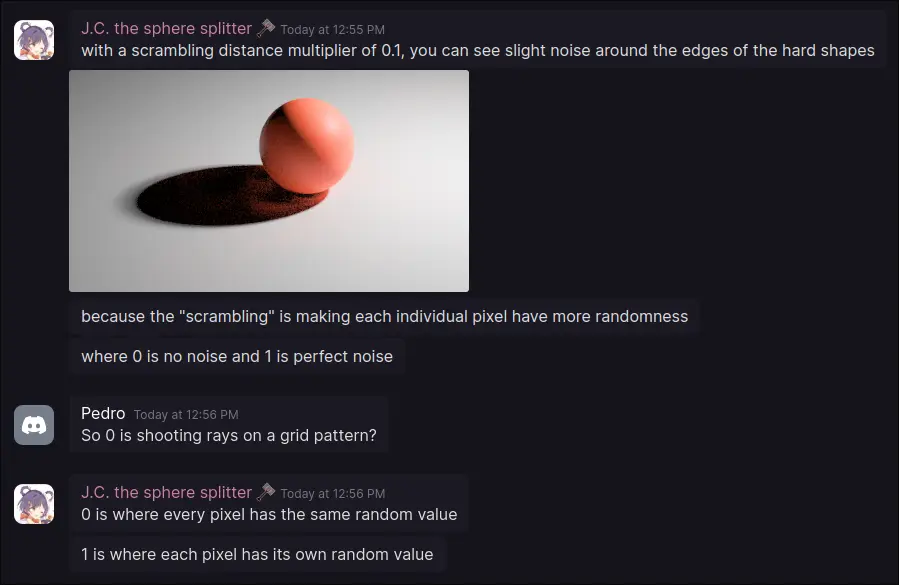
“I still don’t get it.”
Alright, let me make a diagram. Here’s with a scrambling distance of 1.
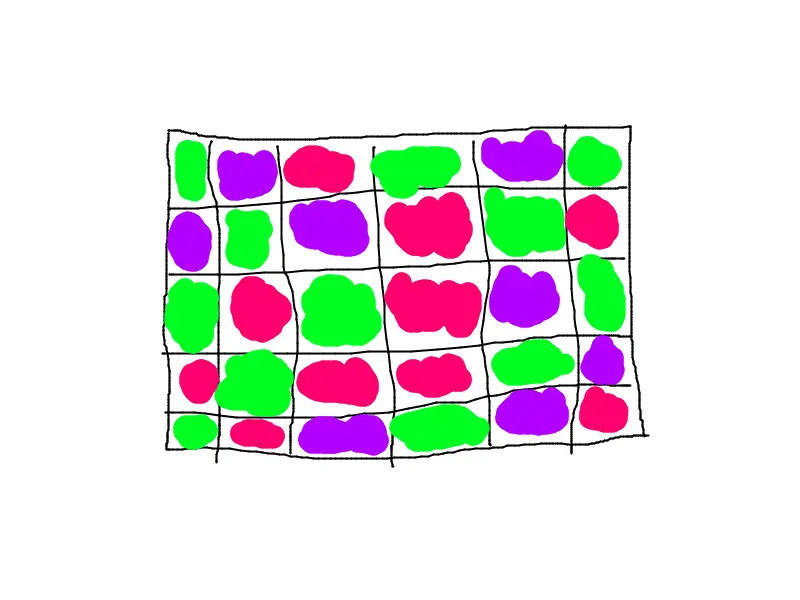
Here, each pixel have a randomized value+ and Cycles uses that to further randomize the samples that it spews into the scene (remember, samples are on a per pixel basis)
+ This should be more randomized, but it's a quick sketch
Now here’s with a scrambling distance of 0.
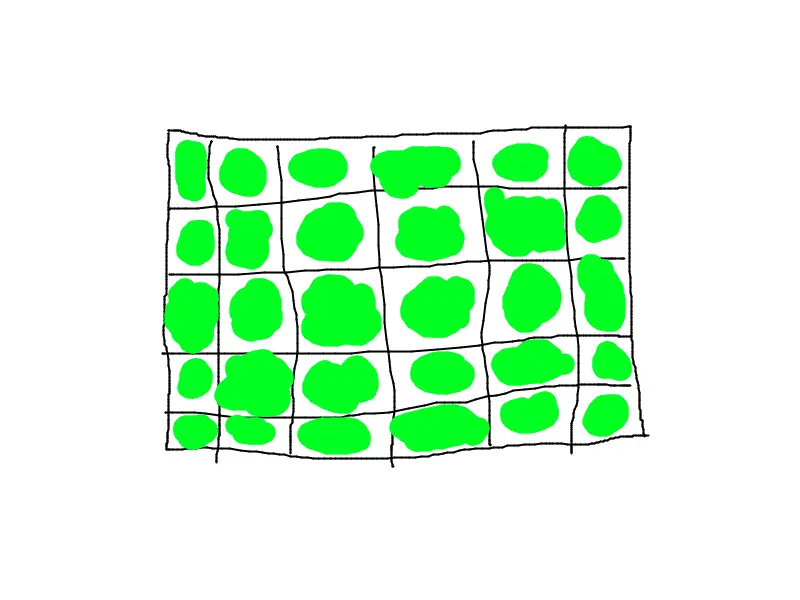
The higher the scrambling distance, the more randomized these values are.
“So if set to 0, there’s no randomness with samples?”
Not exactly. Samples must be released randomly to get finer details. Scrambling distance just makes things more random.
“Oh I get it, so automatic scrambling distance just sets this automatically?”
Yes.
“But why does this feature help with render times? And what artifacts occur with it?”
That brings us on to our next topic.
All Magic has a Cost
As I mentioned earlier, automatic scrambling distance can introduce some artifts, but can also massively help GPU users with render times.
But how does reducing pixel randomness help with render times?
This took a while to find. The Blender Docs say the following:
Lower values Reduce randomization between pixels to improve GPU rendering performance, at the cost of possible rendering artifacts if set too low.
Presumably it has something to do with vRAM, but I can’t be exactly sure. My best guess from past experiance is that rendering is faster with more complex geometry, but I can’t be exactly sure.
So what are some possible artifacts? Well JC has an example.
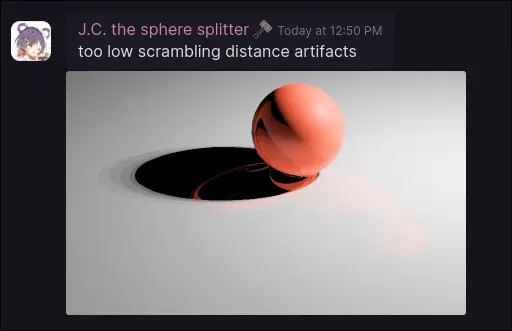
Yikes, why does this happen?
It seems to go back to why path tracers try to randomize samples as much as possible: to get finer details about the geometry.
As you can see, all magic comes at a cost.
“So why use it?”
Because if used correctly, render times can be reduced 10 fold. It also tends to result in cleaner images, which when combined with adaptive sampling (I promise I’ll make a detailed explanation on that sometime) can reduce render times. After all, the main reason we put up with long render times is to reduce the amount of noise in our scene.
“So, should I use it?”
If you use CPU rendering, no, it brings more issues for little benifit. If you use GPU rendering, then it depends on the scene. Personally, I just test it for each scene I do, then try to adjust the scrambling multiplier setting (which goes hand in hand to Automatic Scrambling Distance) before deciding if the artifacts are worth it. I don’t use it most of the time (it really hates alpha transparency which I deal with a lot), but when I do it does work well.
That being said, it depends on the scene. There’s never a specific number I can give that will automatically reduce render times (that’s kinda the point behind making these posts).
I think that’s all I really need to explain about Automatic Scrambling Distance. I’ll see y’all in the next post.