

As is tradition, I usually spend a bit of time working on a holiday render. As such, I’m proud to unveil this year’s holiday render!
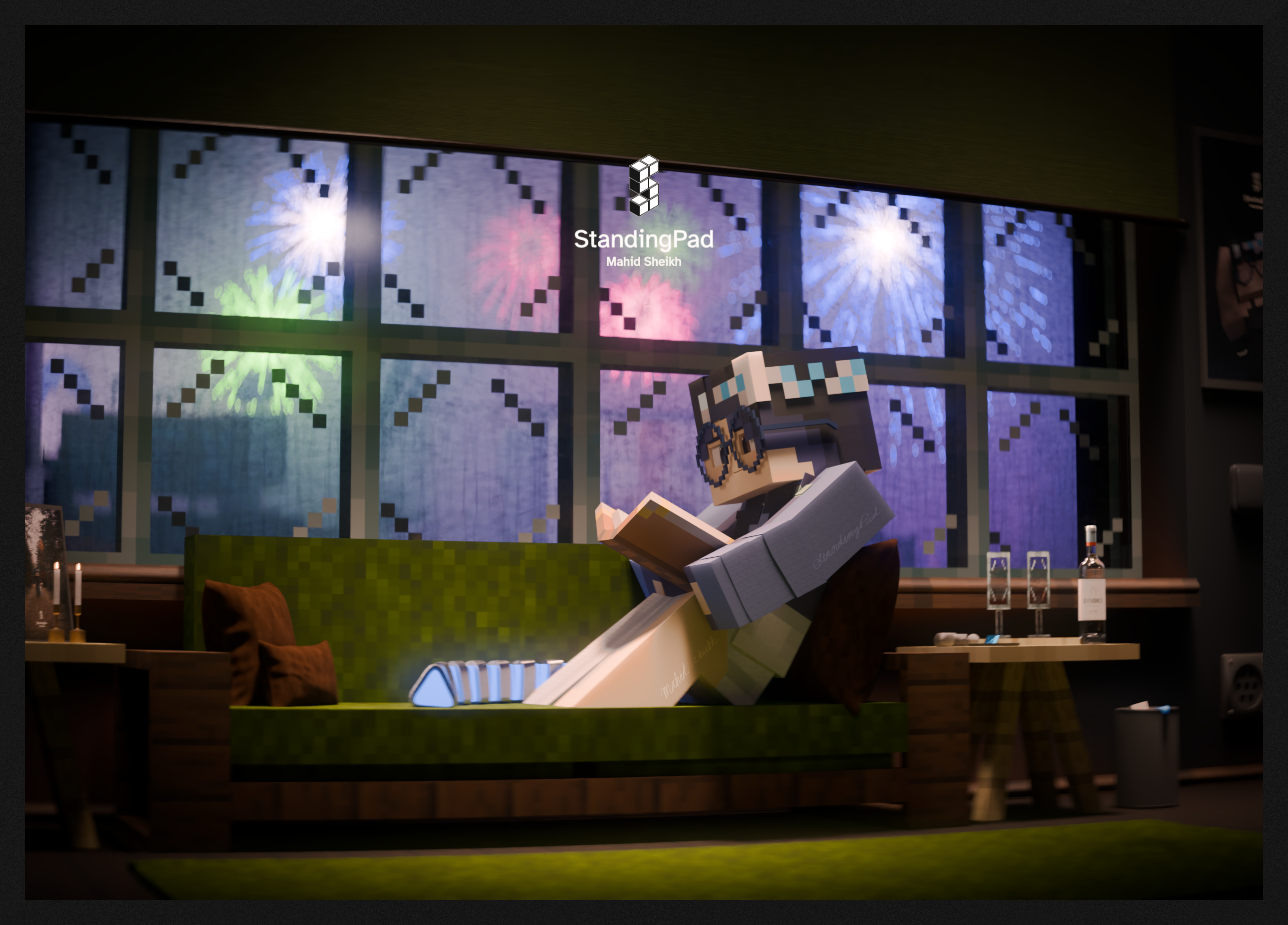
(Monthly Ko-fi supporters can download the blend file here here)
Now time to nerd out completely on some of the behind the scenes.
Updates with Vivy
Last year I mentioned that I was working on an in-house fork of MCprep with a refined material system. Back then, I also mentioned I decided to make Vivy solely an in-house fork to avoid, “angry 12 year olds” (yes, that was one of the reasons I mentioned lol). In the year since, things changed, and I decided to finally begin the process of upstreaming Vivy to MCprep.
To be clear, a lot of work is still needed for Vivy to become stable, and that work will be spread out over several pull requests and several MCprep versions, and until then Vivy will be classed as an experimental feature requiring explicit opt-in from the user, but the work has at least started.
The goal is to get Vivy released as an experimental feature in MCprep 3.6.2 at the earliest, or at least by MCprep 3.7, and from there work to make it stable.
Unlike last year, I didn’t use Vivy in this year’s holiday render, simply because Vivy right now is extremely unstable, and has several bugs related to PBR texture support.
Optimization for Laptops… and vRAM
Like last year, I also made the scene mostly on my plain old laptop (with no GPU) and rendered on a separate system with an RTX 4060. As a result, I had to optimize this scene in order to prevent it from crashing Blender on my laptop.
One thing I made was a geometry nodes setup that deletes parts of an OBJ unseen by the camera, cause for an OBJ in the background, I consider that useless. This setup can be downloaded from my resources page (although keep the license in mind, since it uses ETK)
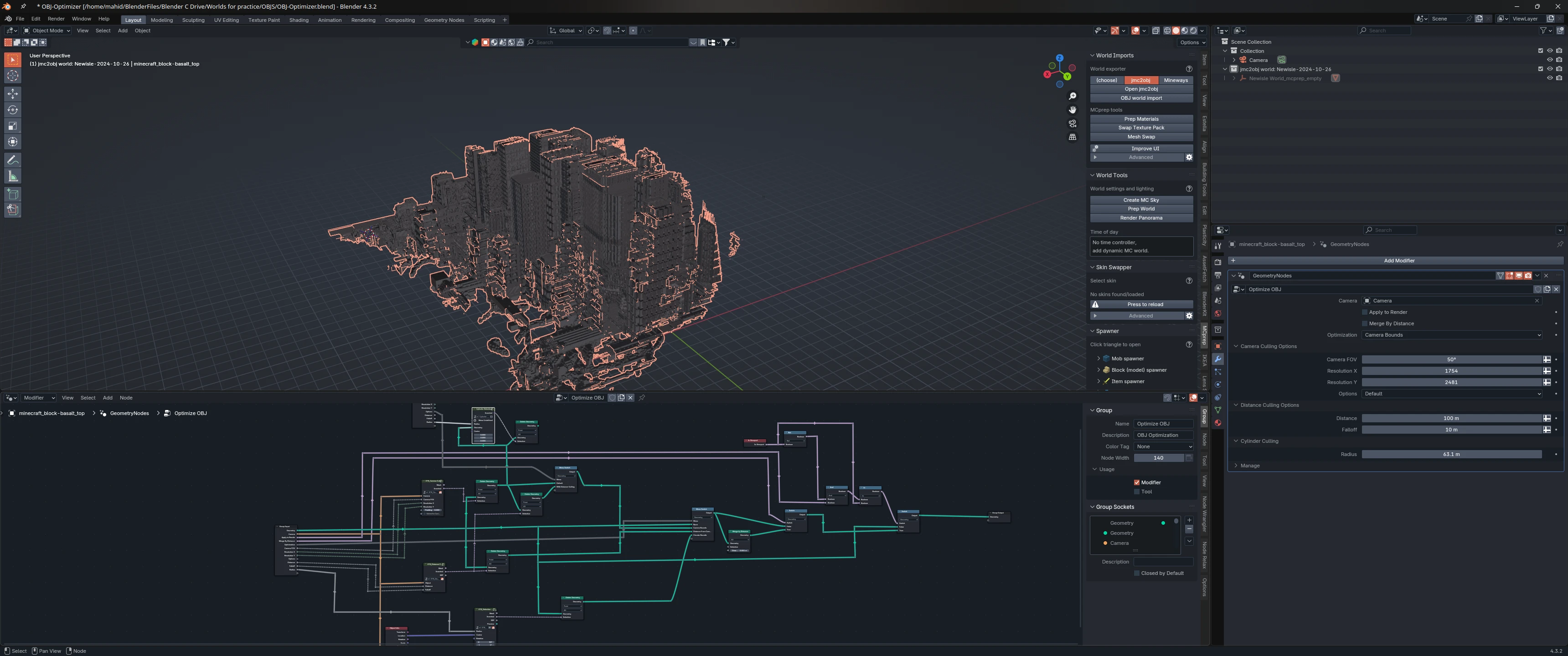
Speaking of OBJs, I also made a script to optimize textures in far off OBJs, where the textures are basically unseeable anyway. This basically takes all of the image textures in all of the materials on a selected object, averages out all of the colors to a single color, and replaces the texture with a one pixel texture of just that color. That way, not only are textures smaller, but they’re also less complex for Cycles to deal with when rendering. This was mostly made out of vRAM concerns, since my scene was already using quite a bit of vRAM1 (though the 4060 only has 8 GB of vRAM anyway so that’s to be expected)
Since I’m old fashion, here’s the script:
# Quick script to take every image and optimize it to be a single pixel# that represents the average color of every pixel. This is meant to be# used on far away objects where the details of the texture no longer# matter, thus allowing us to optimize away all of those details and# avearge out all of the colors to a single pixel. This should in theory# reduce vRAM usage a bit
import bpyimport numpy as npfrom mathutils import Color
def average_image_color(image): """Averages the colors of the pixels in the image.""" pixels = np.array(image.pixels[:]) num_pixels = len(pixels) // 4 pixels = pixels.reshape((num_pixels, 4)) # (R, G, B, A)
# Average only the RGB channels, ignoring alpha avg_rgb = np.mean(pixels[:, :3], axis=0) return Color(avg_rgb)
def create_single_pixel_image(color): """Creates a 1x1 pixel image of the given color.""" image = bpy.data.images.new("AvgColor", width=1, height=1) image.pixels[0:4] = [color.r, color.g, color.b, 1.0] # Set RGBA values (A = 1) return image
def replace_images_with_average_color(): for obj in bpy.context.selected_objects: if obj.type == 'MESH' and obj.data.materials: for mat in obj.data.materials: if not mat.use_nodes: continue for node in mat.node_tree.nodes: # Check if node is an image texture node if not node.type == 'TEX_IMAGE' or not node.image: continue image = node.image avg_color = average_image_color(image) new_image = create_single_pixel_image(avg_color) node.image = new_image new_image.name = f"AvgColor_{image.name}"
replace_images_with_average_color()Tests, Tests, Tests
Remember earlier this year when I wrote that article on what I dub, “The Good Shit2 Law”? For those unaware, this is what The Good Shit Law says:
What looks shit now will look good with fresh eyes.
Well I omitted about half of it at the time. The full law goes something like this:
To a tired artist, what looks shit now will look good with fresh eyes, and what looks good now will look shit with fresh eyes.
Being aware of the full law, I did several test renders. 8 to be specific (well, 8 finished renders, but shhh), with each taking about 22 minutes. Then I took those into PureRef and inspected them, comparing them to previous attempts, and also checking for glitches, denoising artifacts (denoisers are not magic and will do horrible things if they can’t tell what something is), weird things that need to be changed, etc.
Call me a perfectionist, but you can’t ever be too careful.
Lens Sim
Towards the end of November, a new addon was released called Lens Sim, which aims to replicate real world lenses using the new Ray Portal BSDF shader (allowing it to be significantly more efficient then manually recreating the lenses with Glass BSDF). I got it during the Black Friday sale and used it for the first time in this scene3.
I won’t give a comprehensive review yet, simply because I haven’t used it long enough to write a good review, but so far at least, it’s a pretty nice addon. I find in general lens effects that are actually rendered in and not done in post look nicer in general.
A few things to note though: the overhead with CPU rendering is pretty high (although not to a point where its unusable, at least on my laptop), so I often found myself disabling Lens Sim when needing a quick render preview. In addition, Lens Sim does also increase the noise in my experience, especially with some effects like bloom, though that’s to be expected as a cost.
Ko-Fi
Earlier this year, I created a Ko-fi account for people willing to support me financially. All donations are appreciated, and I also release blend files for monthly supporters, including the blend file for this render. I don’t advertise it much, so I guess I’ll take the opportunity to toot my horn a bit, if I may.
Although most people know me for MC/voxel rendering, that’s not the only thing I do. I’m also one of the developers and maintainers for MCprep, and am also the sole developer behind BpyBuild, a vital (yet not well known) part of MCprep development that makes it easy for devs to quickly make changes and test them without having to do a lot of manual work with installation, which is fundamental for an addon that supports 15+ Blender versions (and counting!). On the MCprep front, not including the already mentioned Vivy, some part things I’ve done include multi-lingual support, CommonMCOBJ (both MCprep side and standards side, which includes a ton of time spent getting feedback from OBJ exporter devs and getting them both on board with the concept and implemented in exporters) in total I have 62 merged pull requests in MCprep as of writing, which include the work mentioned above, but also many, many bug fixes. I’m also second in commits made to MCprep. at 316 commits (as of writing).
Outside of MC/voxel rendering, I’m also the person that makes the Flatpak packages for Bforartists, a fork of Blender that focuses on UI improvements (and yes, I use Linux as my daily system, Arch Linux to be specific).
All of these I do in my spare time, outside of school. I did have a paid internship in the summer working for VLK Architects, but that was only for the summer of 2024 (8 weeks to be specific). So with all of that said, I wold appreciate any support through my Ko-Fi. Or in internet terms:

Happy Holidays!
Footnotes
-
Speaking of vRAM, I’m going to go on a little tangent. I’ve noticed when people get a GPU for the first time, they seem to think that they can avoid the need for optimizing because, “the GPU is faster”. However, I would argue that if you’re using the GPU, you need to optimize more, especially for memory usage. If your scene can’t fit into the GPU’s vRAM (which is usually far less then one’s regular RAM), then you either A. won’t be able to render on the GPU or B. be forced to enable CPU hybrid rendering, which adds a significant bottleneck and thus slowdown to render times, and at that point, you may as well be using the CPU for rendering. ↩
-
This is my website and I’m an adult ↩
-
Eventually I plan to make a comprehensive list of the paid addons and tools that I use for transparency reasons. I mostly try to use free stuff because you know, free, but some paid addons/tools are really useful and honestly worth the cost. ↩